
Account Top-up Guide
Learn how to manage your advertising budget and add funds to your account.
Payment Methods
Supported Options
- Cryptocurrency (USDT)
Top-up Process
Access Billing Section
- Log into advertiser dashboard
- Navigate to "Billing" → "Add Funds"
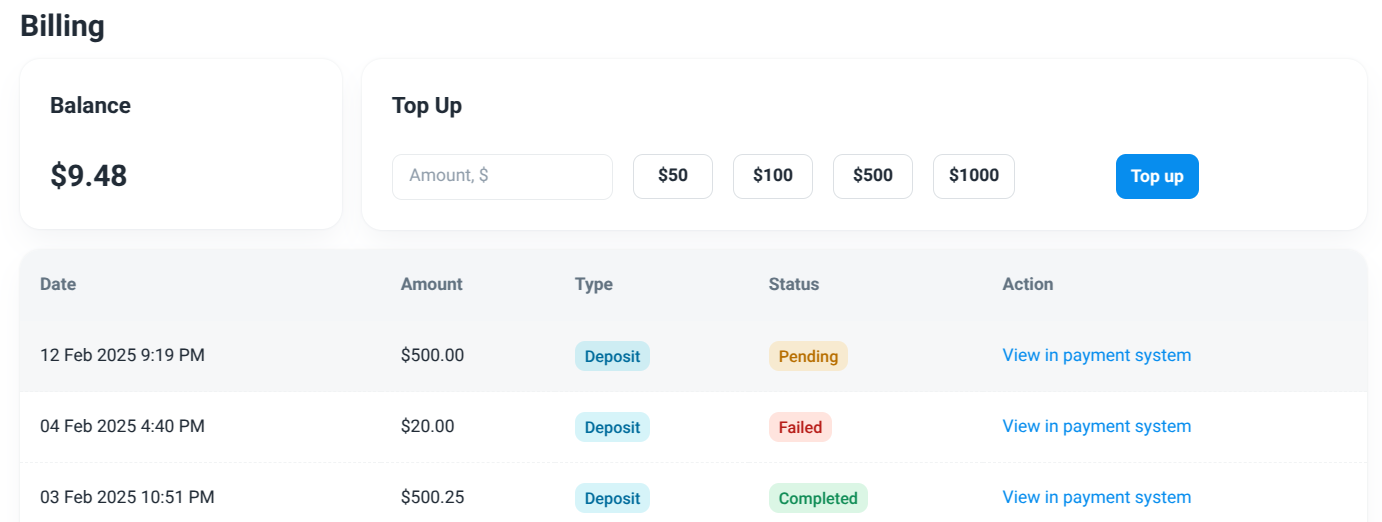
Select Payment Method
- Enter amount
- Click Top Up button
Complete Transaction
- Follow payment provider instructions
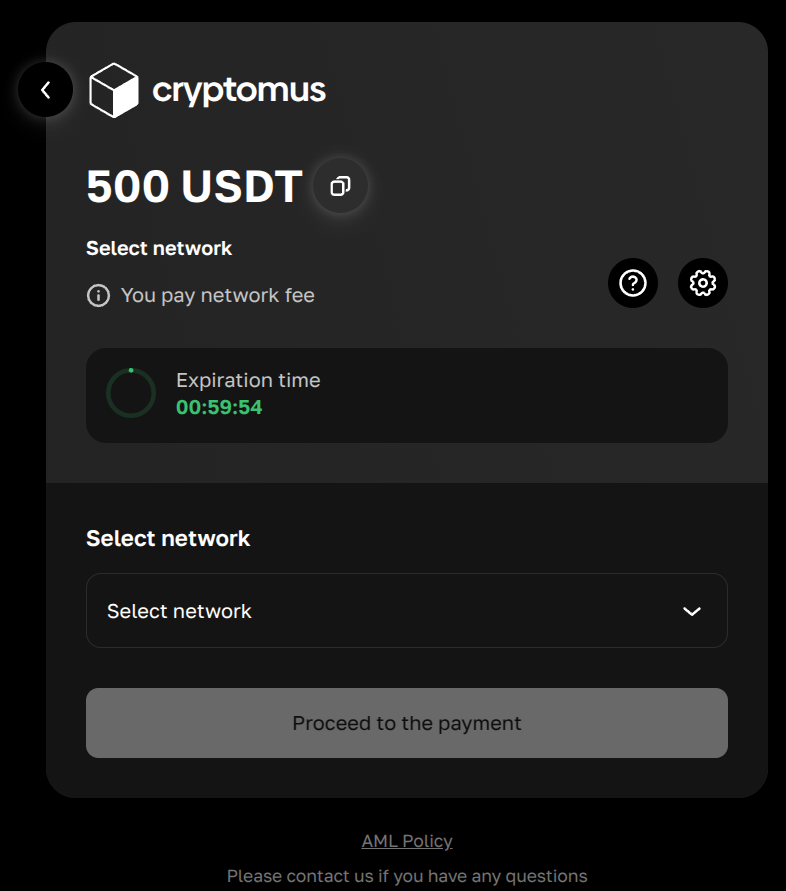
- Select network
- Send USDT and complete transaction
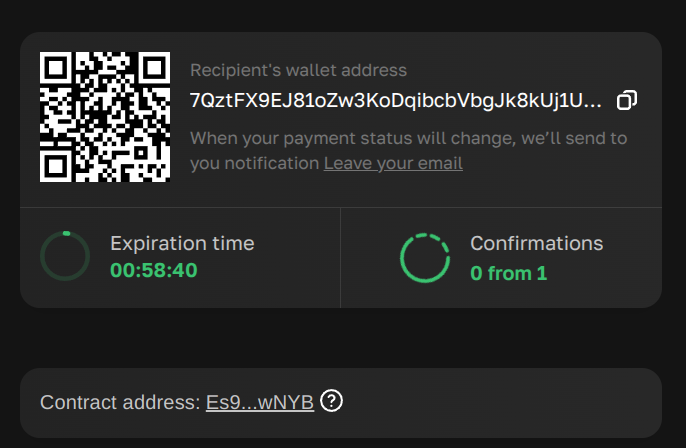
- Check balance
- Follow payment provider instructions
Billing History
- View all transactions
- Track spending patterns