
Telegram Mini App Integration Guide
How to show Adexium ads inside your Telegram Mini App (TMA).
Create a placement
In the publisher cabinet choose New placement → Telegram Mini App and fill in:
- Mini App link — the public
t.melink of your Mini App. Our team reviews it; it cannot be changed after creation. - Bot ID — the numeric ID of the bot your Mini App belongs to: the part before
:in the token from @BotFather (token1234567890:AAH…→ ID1234567890). Enter the number only, never the token. It must be the bot from your link: ad networks use it to confirm that impressions come from your real Mini App. - Blocked ad categories — categories you don't want to show to your users.
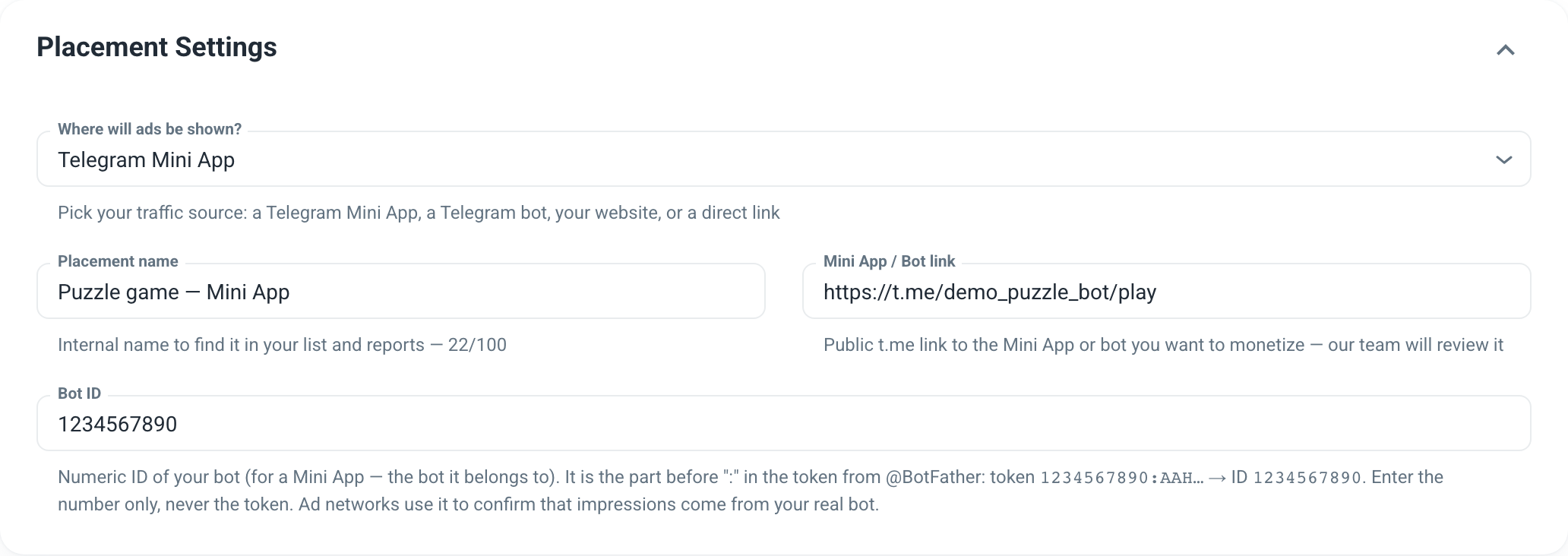
After saving, the placement page shows the ready-to-copy code with your Placement ID (WID) already filled in.
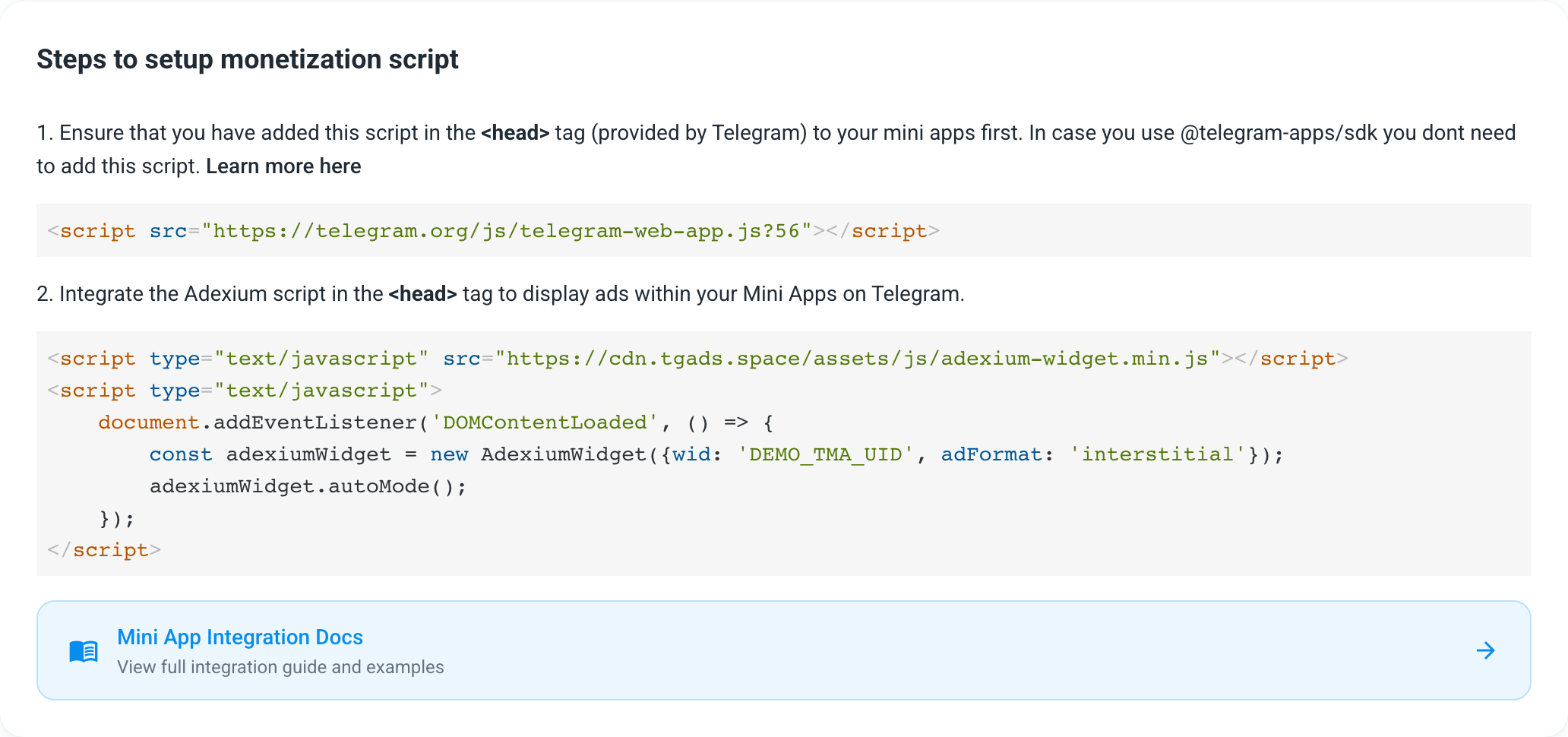
Basic integration (auto mode)
- Add the Telegram script to the
<head>of your Mini App. Skip this step if you use@telegram-apps/sdk.
<script src="https://telegram.org/js/telegram-web-app.js?56"></script>- Add the Adexium script and start auto mode:
<script type="text/javascript" src="https://cdn.tgads.space/assets/js/adexium-widget.min.js"></script>
<script type="text/javascript">
    document.addEventListener('DOMContentLoaded', () => {
        const adexiumAds = new AdexiumWidget({
            wid: 'YOUR_WIDGET_ID',
            adFormat: 'interstitial', // or 'push-like'
            firstAdImpressionIntervalInSeconds: 10, // optional, default 10: first ad 10 s after the app opens
            adImpressionIntervalInSeconds: 45, // optional, default 45: at least 45 s between ads
            debug: true, // test ads on every request — remove in production
            isFullScreen: false // optional: force full-screen ads
        });
        adexiumAds.autoMode(); // show ads automatically; omit this call to show ads manually
    });
</script>
Manual integration
To show an ad at a moment you choose (for example, on a button click), request it and display it yourself:
document.addEventListener('DOMContentLoaded', () => {
    const adexiumAds = new AdexiumWidget({
        wid: 'YOUR_WIDGET_ID',
        adFormat: 'interstitial',
        debug: true // remove in production
    });
    const button = document.getElementById('button');

    button.onclick = () => {
        adexiumAds.requestAd('interstitial');
    };

    adexiumAds.on('adReceived', (ads) => {
        adexiumAds.displayAd(ads); // render the ad with our styles
    });

    adexiumAds.on('noAdFound', () => {
        // no ad for this user right now
    });
});
Use the method that matches why the user sees the ad:
adexiumAds.requestAd('interstitial');         // the user gets nothing for watching
adexiumAds.requestRewardedAd('interstitial'); // the user is rewarded for watching
What adReceived returns
The listener receives a list with one ad:
[
  {
    "id": "64c286d8-04a2-4f4b-ac80-e455d8cbe020",
    "creativeUrl": "https://cdn.adexium.tech/creatives/images/cf5e1ddb279099500910042f4c897ea2.webp",
    "notificationUrl": "https://postback.tgads.live/impression?imp_id=64c286d8-04a2-4f4b-ac80-e455d8cbe020",
    "clickUrl": "https://postback.tgads.live/click?click_id=64c286d8-04a2-4f4b-ac80-e455d8cbe020",
    "buttonText": "Go!",
    "title": "Ready for action? Play now!",
    "adFormat": "interstitial",
    "description": "Blast Cannon: aim, fire, win!"
  }
]
id identifies this ad; use it to check for a click. A video creative arrives with "adFormat": "video" — displayAd renders it for you.
Events
Every event can be subscribed with on and unsubscribed with off. Pass the same listener function to off that you passed to on.
| Event | When it fires |
|---|---|
adReceived | An ad was found; the listener gets the list of ads |
noAdFound | No ad for this user right now |
requestAdError | The ad request failed (network error or timeout) |
adDisplayed | The ad was rendered on screen |
adRedirected | The user clicked the ad and was redirected |
adClosed | The user closed the ad |
adPlaybackCompleted | The user watched the ad to the end (the countdown finished) |
const adReceivedListener = (ads) => {
    adexiumAds.displayAd(ads);
    const adId = ads[0].id;
};
const noAdFoundListener = () => {
    console.log('no ad found');
};

// subscribe
adexiumAds.on('adReceived', adReceivedListener);
adexiumAds.on('noAdFound', noAdFoundListener);

// unsubscribe
adexiumAds.off('adReceived', adReceivedListener);
adexiumAds.off('noAdFound', noAdFoundListener);
Check whether the user clicked
For tasks such as "open this ad to get a reward", call this URL from your server:
GET https://bid.tgads.live/task/check/{widgetUid}/{adId}{widgetUid}— your Placement ID (WID), the same value you pass aswid.{adId}—idof the ad fromadReceived.
Response:
{
  "done": false
}
done becomes true once the user has clicked the ad. Until then it stays false, so you can poll.
Tasks without the widget
You can also request an ad from your server and show it as a task in your own UI.
POST https://bid.tgads.live/bid-requestRequest body:
{
    "wid": "YOUR_WIDGET_ID",
    "adFormat": "push-like",
    "language": "en",
    "ip": "8.8.8.8",
    "isPremium": true,
    "firstName": "test",
    "lastName": "test",
    "telegramId": "123456789",
    "platform": "android",
    "tonConnected": false,
    "motivated": true
}wid— your Placement ID (WID).tonConnected— optional.motivated—true, because a task is rewarded.
The response has the same shape as in What adReceived returns, and an empty list [] when there is no ad. Check the click with /task/check using the ad's id.
How the ads look
Open our example bot to see every format: @AdexiumExampleBot
React integration
use-adexium.ts
import * as React from 'react';
import type { AdexiumInstance, AdexiumAd, AdFormat } from './adexium';

type TAdexiumProps = {
  widgetId: string;
  format?: AdFormat;
  onAdReceived?: (ads: AdexiumAd[]) => void;
  onNoAdFound?: () => void;
  onReward?: () => void;
};

export function useAdexium({
  widgetId,
  onAdReceived,
  onNoAdFound,
  onReward,
  format = 'interstitial',
}: TAdexiumProps) {
  const adexiumRef = React.useRef<AdexiumInstance | null>(null);

  const handleAdReceived = React.useCallback(
    (ads: AdexiumAd[]) => {
      adexiumRef.current?.displayAd(ads);
      onAdReceived?.(ads);
    },
    [onAdReceived],
  );

  const handleNoAdFound = React.useCallback(() => {
    onNoAdFound?.();
  }, [onNoAdFound]);

  const handleAdPlaybackCompleted = React.useCallback(() => {
    onReward?.();
  }, [onReward]);

  React.useEffect(() => {
    if (!window.AdexiumWidget) {
      console.warn('AdexiumWidget script not loaded');
      return;
    }

    const adexium = new window.AdexiumWidget({
      wid: widgetId,
      adFormat: format,
    });

    adexiumRef.current = adexium;

    adexium.on('adReceived', handleAdReceived);
    adexium.on('noAdFound', handleNoAdFound);
    adexium.on('adPlaybackCompleted', handleAdPlaybackCompleted);

    return () => {
      adexium.off('adReceived', handleAdReceived);
      adexium.off('noAdFound', handleNoAdFound);
      adexium.off('adPlaybackCompleted', handleAdPlaybackCompleted);
      adexiumRef.current = null;
    };
  }, [widgetId, format, handleAdReceived, handleNoAdFound, handleAdPlaybackCompleted]);

  // Call the returned function to request a rewarded ad, e.g. from a "Watch to earn" button.
  return React.useCallback(() => {
    adexiumRef.current?.requestRewardedAd(format);
  }, [format]);
}
adexium.d.ts
// Formats you can request. A received ad may also report 'video' (a video creative).
export type AdFormat = 'interstitial' | 'push-like';

type EventType =
  | 'adReceived'
  | 'noAdFound'
  | 'requestAdError'
  | 'adDisplayed'
  | 'adRedirected'
  | 'adClosed'
  | 'adPlaybackCompleted';

interface AdexiumInitParams {
  wid: string;
  adFormat: AdFormat;
  debug?: boolean;
  firstAdImpressionIntervalInSeconds?: number;
  adImpressionIntervalInSeconds?: number;
  isFullScreen?: boolean;
}

export interface AdexiumAd {
  id: string;
  creativeUrl: string;
  notificationUrl: string;
  clickUrl: string;
  buttonText: string;
  title: string;
  adFormat: AdFormat | 'video';
  description: string;
}

export interface AdexiumInstance {
  autoMode(): void;
  requestAd(format: AdFormat): Promise<AdexiumAd[]>;
  requestRewardedAd(format: AdFormat): Promise<AdexiumAd[]>;
  displayAd(ads: AdexiumAd[]): void;
  on(event: EventType, callback: (...args: any[]) => void): void;
  off(event: EventType, callback: (...args: any[]) => void): void;
}

declare global {
  interface Window {
    AdexiumWidget: {
      new (opt: AdexiumInitParams): AdexiumInstance;
    };
  }
}
tsconfig.json
{
  "compilerOptions": {},
  "include": ["adexium.d.ts"]
}
index.html
<!doctype html>
<html lang="en">
  <head>
    <meta charset="UTF-8" />
    <meta name="viewport" content="width=device-width, initial-scale=1.0, maximum-scale=1.0, user-scalable=no" />
    <title>Your Telegram Mini App</title>
    <script src="https://telegram.org/js/telegram-web-app.js?56"></script>
    <script type="text/javascript" src="https://cdn.tgads.space/assets/js/adexium-widget.min.js"></script>
  </head>
  <body>
    <div id="root"></div>
    <script type="module" src="/src/main.tsx"></script>
  </body>
</html>