
Account Top-up Guide
Payment methods
| Method | Amount | Fee |
|---|---|---|
| Card | fixed amounts: $100, $150, $200 or $250 per payment | 7% |
| Crypto | from $10 | none |
| Capitalist | from $10 | none |
| Bank transfer (invoice) | from $2,000 | none |
For larger card amounts make several payments, or use crypto or a bank transfer.
How to top up
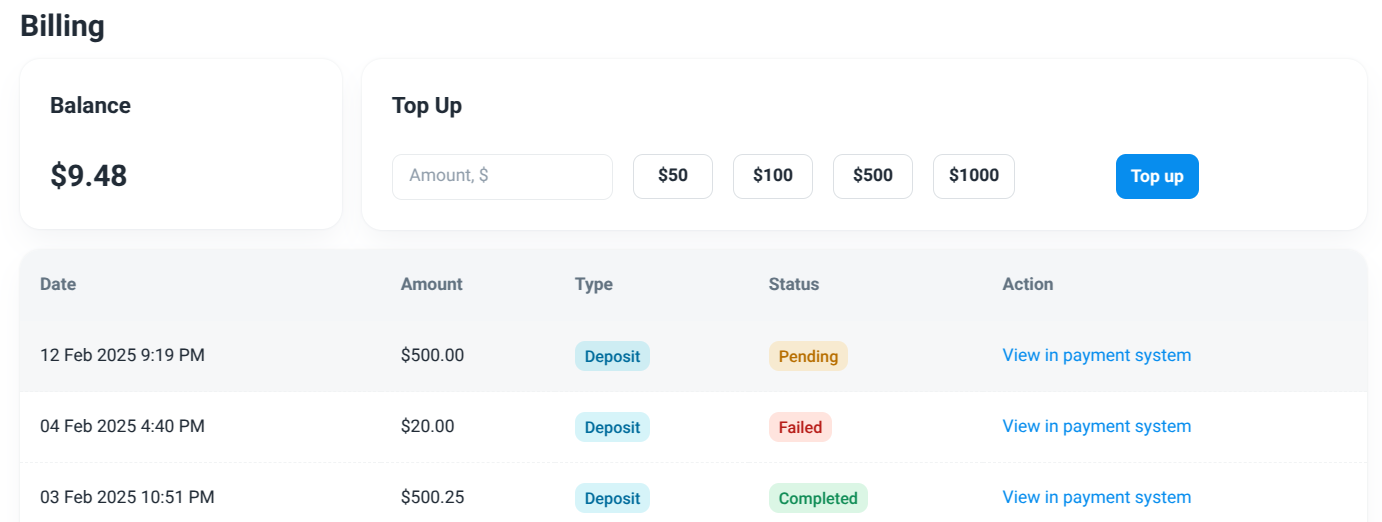
- Open Billing in the dashboard.
- In Top up balance choose the payment method.
- Enter or pick the amount. For cards, choose one of the fixed amounts; the fee is shown before you pay.
- Click Continue and complete the payment on the payment page. For crypto, choose the coin and network there and send the exact amount shown.
- For a bank transfer, click Create invoice — the invoice opens in a new tab. Your balance is updated once the transfer is confirmed.
The balance is updated automatically after the payment is confirmed. If a payment does not show up, contact your account manager or support with the transaction details.
Billing history
All payments and their statuses are listed on the Billing page.